
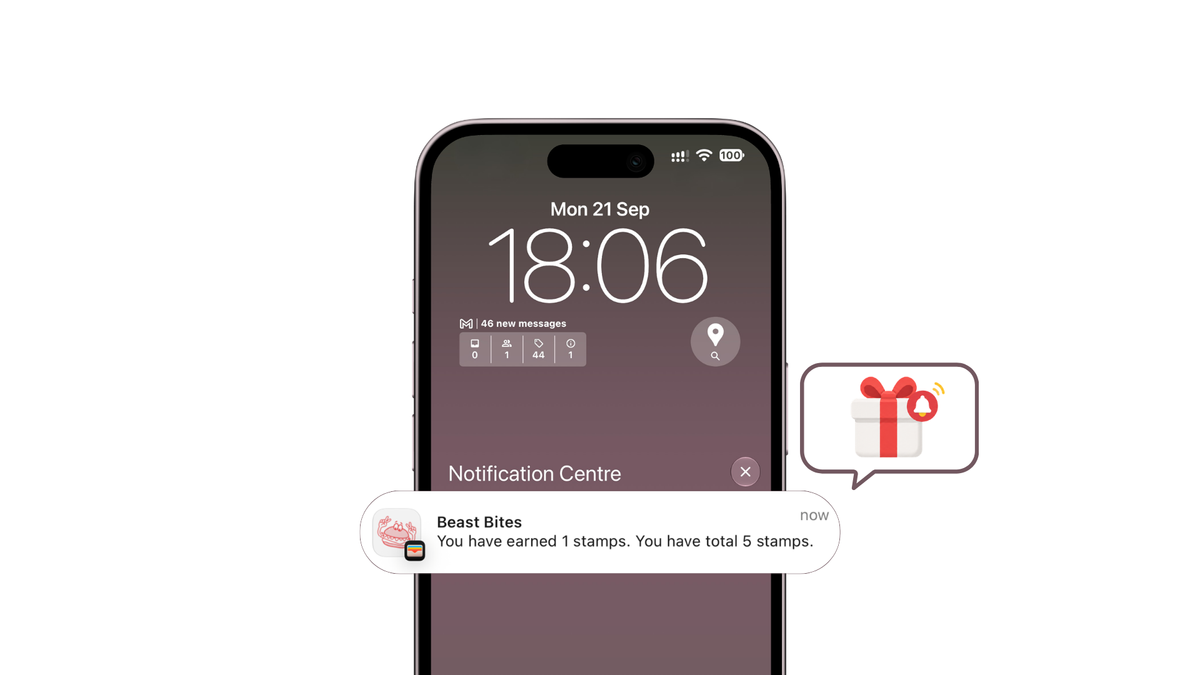
What automatic reward notifications do in wallet-based loyalty programs
An automatic reward notification is an event-driven update to a digital pass already stored in Apple Wallet or Google Wallet. A customer earns points, crosses a reward threshold, or gets close to an expiry date. The pass record changes, and the wallet app shows the update on the lock screen.
There's no scheduled send list here and no separate app to install. That's the main difference from a manual campaign, where a marketer builds an audience and sends a one-off message.
How Does It Work?
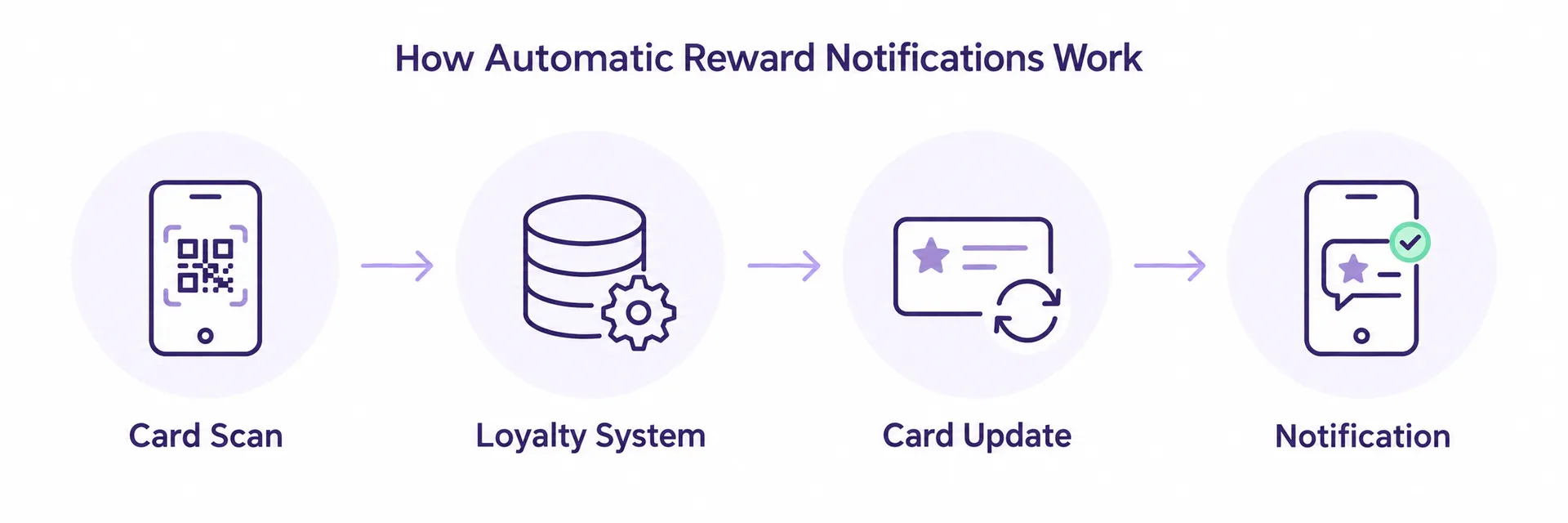
- A trigger event happens: a scan, a threshold crossed, a date approaching.
- The loyalty system updates the pass record.
- Apple Wallet or Google Wallet refreshes the pass and, if configured, shows a lock-screen alert.
Why Do Wallet-First Teams Use It?
The reward lives where the customer already keeps the pass. Fewer unlocked rewards go unnoticed, expiry dates stop being a surprise, and visit and balance activity stays visible without a physical card.
This guide covers trigger types worth configuring, setup steps for both wallet platforms, the reporting checks that confirm delivery, and what to do when an update never reaches the pass.
What Are the Main Trigger Types?
Three triggers cover most day-to-day activity:
- Points earned — a scan at checkout adds points. A €25 purchase might add 25 points and update the balance field.
- Reward unlocked — the balance crosses a threshold, say 100 points, and a claimable reward appears on the pass.
- Visit recorded — a stamp is added, which matters for punch-card programs where 6 visits, not spend, trigger a free item.
What About Time-Based Triggers?
Time-based events extend the same logic where a platform supports them:
- Points nearing expiry — for example, an alert sent 7 days before 200 points expire.
- Claimed reward nearing expiry — for example, a reminder sent 3 days before a redeemed voucher expires.
Wallet loyalty setups that support time-based rules typically cover both of these trigger types.
Update vs. Notification: What's the Difference?
Keep one distinction clear during setup: updating a pass and messaging a customer are separate steps.
- A silent update refreshes the balance field without a push alert.
- A notification adds the lock-screen alert on top of that update.
Deciding which events deserve both is where most tuning happens.
Some systems layer delivery rules or personalization on top — quiet hours, or merge fields for a customer's name or balance. Useful, but keep each trigger tied to one clear event, or your reporting won't reconcile later.
How to set up Apple Wallet and Google Wallet pass updates
Work through the setup in order. Skipping the field design step is the most common reason updates never fire later.
Step 1: Build the Pass and Lock Its Dynamic Fields
Decide which values change over time — points balance, tier, reward status, expiry date — and give each one a dedicated field. Apple Wallet's store card and Google Wallet's loyalty object are separate records, so field names and layouts need to be defined in each. Static branding, like logo, colors, and terms, can be finalized later; the changing fields cannot.
Step 2: Connect the Event Source
Point your POS, checkout, or scan endpoint at the pass system so every earn, redeem, or tier change emits an event. A checkout scan should ideally fire an event within a few seconds of the transaction closing. Without a live event feed, a pass is just a static card with no benefit over a physical one.
Step 3: Map Each Trigger to a Field or a Message
- A points earn usually updates a balance field silently.
- A reward unlock, a points-expiry warning, or a claimed-reward-expiry warning should update the field and push a message to the lock screen.
Step 4: Verify Identity and Permissions
- Apple Wallet updates depend on a valid pass type identifier and push certificate.
- Google Wallet updates depend on an active issuer account and authorized service credentials.
- Several loyalty tools also require a verified sender address before any message leaves the system.
If passes are issued through a hosted platform such as Loyaltify, check the provider's documentation for which credentials apply to your account.
Step 5: Test Both Wallets Separately
Install the pass on a physical iPhone and an Android device. Fire one real event — for example, add 50 points through a test scan — and confirm three things: the field changed, the alert appeared, and the event landed in your reporting log. Shared loyalty rules do not guarantee identical delivery across both wallets.
What reporting should track after notifications go live
Once automatic pass updates are running, reporting is what tells you whether they actually reached anyone.
Which Signals Should You Track?
Track four signals per message:
- Sent — the update left your system.
- Delivered — the wallet accepted the update.
- Opened (where the platform exposes it) — the customer viewed the alert.
- Reward claimed — the customer redeemed what the alert flagged.
What Should You Track Instead of Opens?
Visit history fills the gap:
- Scan timestamp.
- Points balance before and after the scan.
- Reward claim event tied to that scan.
Together, these reconstruct what a customer did after a pass update landed — no open rate required.
How Should You Structure Reports?
Keep automatic pass updates in a separate report from manual campaigns. Mixing a birthday broadcast with a "reward unlocked" trigger hides which one moved behavior.
Build event-based reports: one row per trigger fired, with the outcome attached. For example, compare a points-expiry reminder's 18% claim rate against a reward-unlocked alert's 34% claim rate, rather than comparing raw send counts.
What Counts as a Good Result?
Judge results on operations, not vanity numbers:
-Fewer expired rewards that nobody claimed.
-Shorter time between unlock and redemption.
-Clean, complete customer activity tracking.
Why notifications are delayed or missing and how to fix them
When a customer says they never got a reward alert, work the chain in order instead of guessing.
Step 1: Confirm the Trigger Fired
Check your reporting view first. Did the points event, reward unlock, or expiry rule actually register for that customer? If the event never logged, the wallet pass was never asked to update. Across the trigger types covered above — reward unlocked, points nearing expiry, claimed reward nearing expiry — a missing event usually points to a rule that didn't match, not a broken pass.
Step 2: Verify Sender and Account Settings
Some platforms block sends until identity is confirmed. Identixweb's help documentation states that a sender email must be verified before customer notifications go out. Check for any pending verification step before blaming delivery.
Step 3: Check the Pass Itself
Is it still installed?
Is it still active?
- Has it expired or been voided?
A pass removed from the wallet app stops receiving updates silently, with no error visible on your side.
Step 4: Isolate the Wallet Type
- If only Apple Wallet devices are affected, check the push certificate and device registration.
- If only Google Wallet devices are affected, check the pass object update call.
- If both are failing at once, the update likely never left your system.
Step 5: Separate Timing from Configuration
Wallet push delivery is best-effort and can lag. A delay of 10 to 15 minutes is normal; a delay of several hours is not. Recheck your setup when the pattern repeats across multiple customers, not after a single report.
Last updated 2026: wallet terms and key takeaways
Last updated: 2026. This page is reviewed annually against current Apple Wallet and Google Wallet pass behavior. If a platform changes how updates are pushed, the setup steps above get revised.
| Term | What it means |
|---|---|
| Pass | The digital loyalty card stored in Apple Wallet or Google Wallet. It carries the customer's identifier, balance, and reward status — no physical card or separate app required. |
| Wallet update | A change pushed to an already-installed pass (new balance, new tier, new reward). The customer sees the refreshed pass, and depending on device settings, a lock-screen alert. |
| Trigger | The event that starts an update: a scan, a points threshold reached, a reward unlocked, or an expiry date approaching. |
| Reward claim | The moment a customer redeems an unlocked reward. It should decrement the balance and write a record, not just clear the alert. |
| Visit record | The logged scan behind every balance change — the audit trail your reporting depends on. |
What to Remember
Automatic reward alerts only work when three layers agree:
- The trigger fires on the right event.
- The pass template exposes the field being updated.
- The log records what was sent.
When one layer drifts, customers get silent passes or duplicate alerts, and your numbers stop matching reality. Keep notifications and reporting configured together rather than as separate projects.
Before launch, run real scans through the flow and compare what the pass shows against your event log. If the two match across a full earn-to-claim cycle, you're ready.
Set up your digital loyalty programme with Loyaltify.