
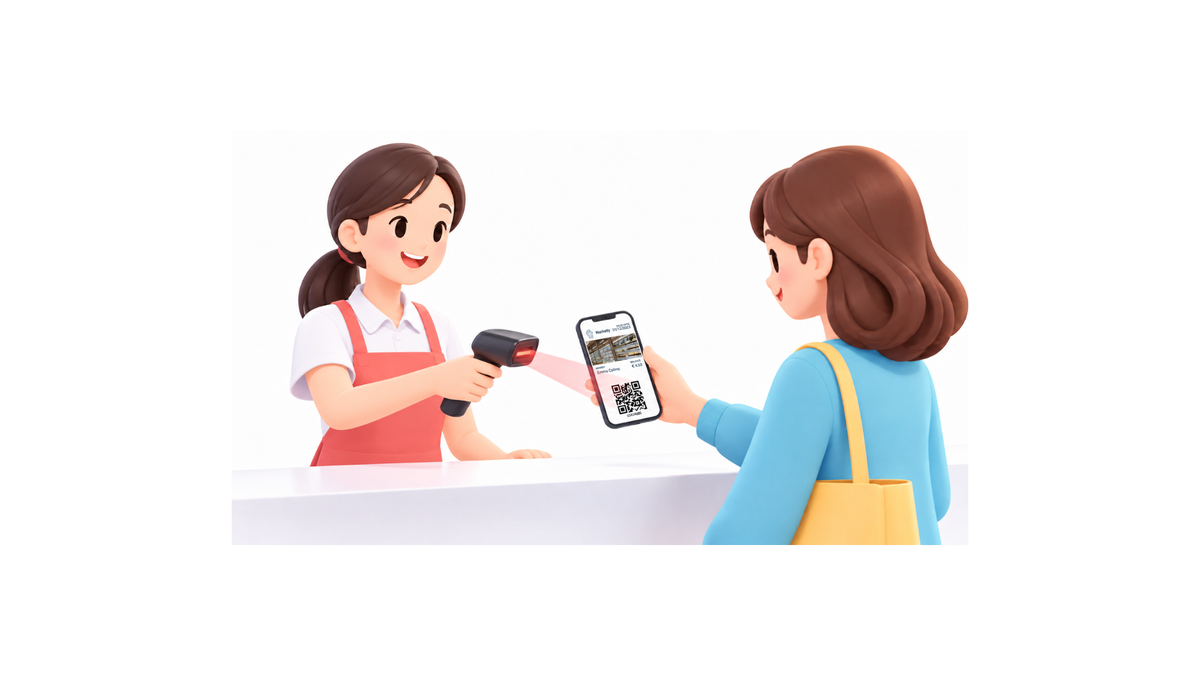
What Your Store Needs for Digital Loyalty to Work
A digital loyalty program works when a customer earns and redeems points in seconds at the register no plastic card, no app download. Branding, reward tiers, messaging all secondary to that one moment at checkout. Start by checking what you already have.
Four things determine how smooth the launch will be:
- A way to scan a pass at checkout
This can be a standalone app on any staff device no POS integration required or, if you prefer, a check-in step built into your existing POS. Customers don't need to install anything themselves; only staff need a way to scan on their end. - A way to check people in
Most setups do this by reading a barcode or QR code on the customer's phone screen. Confirm with your provider which hardware and software combinations are actually supported don't assume an existing scanner, camera, or payment terminal will work out of the box. - A way to collect email addresses or phone numbers
This can be a staff-assisted email capture form, or a self-service flow a customer scans a QR code on a flyer or counter sign, fills in a short form, and gets the pass without staff involvement. QR signup is a customer enrollment method, and it works alongside either a standalone or a POS-integrated check-in setup. - Mobile wallet support
Passes need to save directly to the customer's phone, with no extra steps required on their end.
This guide is designed with tools like Loyaltify in mind, but the steps apply to any digital loyalty platform: pick a check-in method (a standalone app, a QR code, or a POS-connected flow), and turn on an email capture form.
POS integration is optional a standalone setup can run the whole program without touching your register but it isn't equally automated: in a standalone workflow, staff scan the pass and then separately choose an action, like adding a stamp or entering a purchase amount, while a POS-integrated workflow may automate that step, depending on the specific integration.
From there, the rest of this guide covers getting passes into customer wallets, replacing paper punch cards, and moving members over from another platform without losing their balances.
Checkout Equipment and Integrations You Actually Need
You don't need new hardware to run a digital loyalty program. Most stores can use the same register setup they already have for card payments or skip the register entirely and scan from a phone. The real work is connecting a check-in method, a way to collect contact details, and wallet support on the back end.
Standalone vs. POS-integrated, at a glance:
- Standalone (no POS integration): Staff use a scanning app on a phone or tablet. At checkout, they scan the customer's pass, then separately tap a button to add a stamp, log a purchase amount, or redeem a reward. The scan confirms identity; staff still complete the transaction step by hand.
- POS-integrated: Loyalty check-in is built into your existing register flow. Depending on the specific integration, some or all of that second step recording the amount, awarding points may happen automatically when the sale is rung up. Confirm with your provider and your POS vendor exactly what's automated versus what still needs a staff action.
A check-in method your staff can act on with or without a POS
A standalone setup handles check-in and redemption on its own, using whatever device staff already carry one of the simpler paths if your POS doesn't support integrations or you'd rather not open that up.
If you want a POS-connected flow instead, confirm ahead of time what your specific POS and loyalty provider actually support together, and test that a cashier can log a visit and redeem a reward in a couple of taps without leaving the sales screen.
Equipment for barcode or QR check-in
A basic phone or tablet is usually enough for standalone scanning, but reading a barcode isn't the same as connecting to a loyalty platform check hardware and software compatibility with your specific system before assuming an existing scanner or payment terminal will work.
An NFC tag that opens a signup page is a separate feature from tapping a wallet pass at a compatible terminal for check-in; where either is supported, confirm compatibility with your provider before relying on it.
Email collection at sign-up
Email is both a delivery channel and a sign-up key. Build a simple email capture form at the counter, on a tablet, or embedded on your site so submissions can trigger a pass to the customer's inbox, depending on how your provider handles delivery.
Collecting an address ties every scan to one member profile, so balances stay intact even if a phone is lost, and you can reissue a pass without rebuilding history.
Wallet support built into the platform
This is what removes plastic and app downloads. Choose a system that issues passes to both Apple Wallet and Google Wallet, and look for reporting that shows passes generated and rewards claimed, so you can track adoption without guessing.
Apple's own developer documentation confirms passes can be distributed by app, SMS, email, NFC tag, or QR code, and can support real-time alerts and contactless check-in at the register where supported worth checking that your platform actually covers that range.
Replacing Paper Punch Cards With a Digital Pass
Paper punch cards fail in predictable ways. They get lost in a bag, they're easy to copy or borrow, and a punched card tells you nothing about who's coming in, how often, or what they're buying. Hand-stamping also depends on staff remembering to do it, every time, at every register.
A digital pass replaces the card, not the habit. The in-store flow is short:
- The customer gets a pass a QR code at checkout, a link by email or text, or, where supported, a tap on an NFC tag that opens a signup page.
- The pass saves to their phone's wallet, with nothing extra to install.
- At checkout, staff scan the barcode on the pass.
- Staff record the stamp, point, or redemption automatically if your POS integration supports it, or with one extra tap in a standalone app if not.
- The reward is redeemed later by showing that same pass.
A digital pass can carry your own branding logo, colors, and business name so it looks like your store's card, not a generic template, whichever wallet app it's viewed in. The real payoff is staff training. No card to reorder, no punches to lose, just one line to learn: "Scan this to save your card, then show it every time you come in." Everything else happens on the pass.
Before you retire paper cards, decide on a policy for existing stamps and balances: will customers get credit for progress on their current card, and how long will you keep accepting old cards before phasing them out? A short transition period, where both formats work, gives regulars time to switch without losing progress they've already earned.
Switching over is really three separate jobs: designing the pass and choosing a scan method, connecting that scan method to a standalone app or your register, and moving existing punch-card members onto the new system.
Getting the Loyalty Card to Customers: Self-Service and Email
The fastest path is fully self-service: a customer scans a QR code on a flyer, table tent, or counter sign, fills in a short form on their phone, and follows the prompt to add the pass to their phone's wallet. This works with either a standalone scanning setup or a POS-integrated one QR signup is a customer enrollment method, not a type of POS integration, so it doesn't depend on which checkout workflow you use. It works especially well for walk-in traffic, since the customer signs up on their own time without a cashier having to explain anything.
Completing the form issues the pass; the customer still has to tap "Add to Wallet" to actually install it on their phone.
Email delivery covers the other common case: when your store already collects an address at sign-up at the register, on a tablet, or through a web form — send the pass to that inbox instead of handing over a plastic card.
Confirm with your provider whether every new sign-up triggers an automatic email or whether that needs to be configured, since this varies by platform.
What arrives is short either way: a message or landing page with a link or an "Add to Wallet" button. Tapping it opens the pass and prompts the customer to save it to their phone. From there, the pass sits next to their boarding passes and tickets showing your business name, logo, stamp or point balance, and the barcode your cashier scans.
Registration, card issuance, wallet installation, and actual use are four separate events, and a customer can drop off between any of them — someone might fill out the form and never tap "Add to Wallet," for instance.
Where your platform reports on each stage, track them separately rather than assuming a completed sign-up form means an active card.
One shortcut worth knowing: for certain eligible cards and programs,
Google Wallet can automatically import loyalty cards straight from Gmail, which skips a manual save step check whether your program and pass type qualify before counting on it.
Two practical habits: send or trigger the pass promptly after sign-up, while the interaction is still fresh, and include a plain fallback link for anyone whose email client hides buttons. Since wallet passes update online, the same card reflects new stamps and rewards without a second email.
Migrating Without Losing Members
Migration is limited by one thing: what your current provider can actually export. Ask for a sample export file before signing anything with a new vendor. If the answer is "we can send a report" instead of "here's a CSV with these columns," you're looking at manual re-entry.
Five questions settle most of it:
- What transfers as-is? Name, phone, email, join date, and the identifier tying a customer to their record.
- What needs cleaning up? Duplicate records and dead emails are safe to drop. Before archiving anyone else, check for outstanding balances or unredeemed rewards — an inactive member can still be holding points or a reward they're owed, so activity alone shouldn't decide who gets migrated.
- How do balances transfer? Import support varies by provider — a running points total, stamp-card progress, an earned-but-unredeemed reward, and an expiration date may each need to be handled separately. Check what your new provider can actually import before assuming it's a single step.
- Do marketing permissions carry over? Consent depends on how and when it was originally collected, not just whether the field exists in an export file check with whoever handles compliance whether consent needs to be re-confirmed under your new platform's opt-in rules.
- What happens to existing wallet passes? Don't assume a pass carries over automatically between providers. Confirm with both the outgoing and incoming provider whether existing passes can be kept as-is or need to be reissued — a reissued pass may mean the customer has to re-add the card to their wallet.
Before the full switch, run a test import with a small batch of real records rather than trusting a demo dataset.
Include a member with an active points balance, one with an earned-but-unredeemed reward, and one with a reward close to its expiration date these are the cases most likely to get mishandled, and catching a problem in a test batch of twenty is a lot cheaper than finding it after your whole list has moved.
Moving customer records and balances over doesn't automatically preserve transaction history if that history matters to your reporting, confirm separately whether your new provider can import or retain it, or whether you're starting that log fresh.