
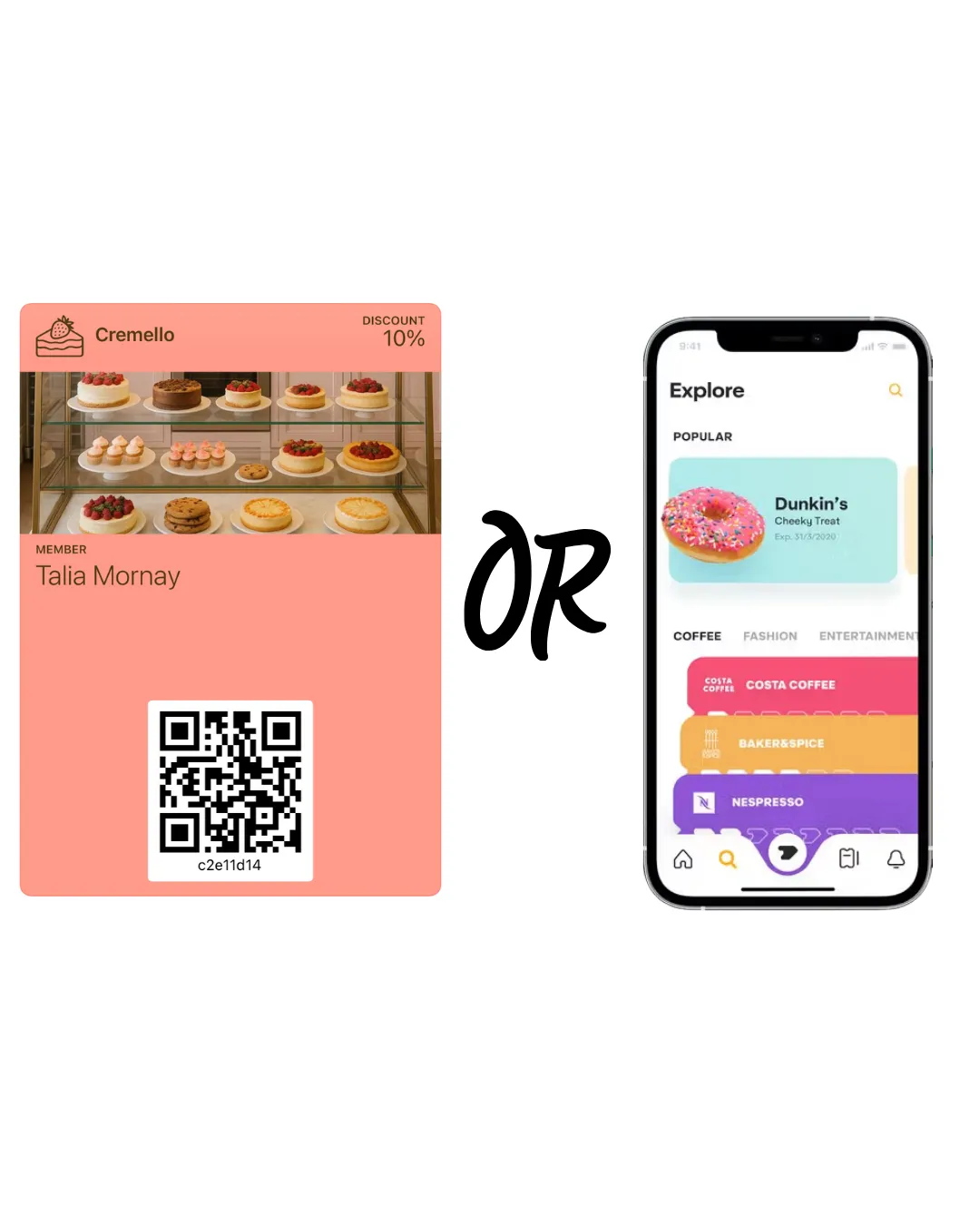
Short answer: for most small businesses, a digital loyalty card in Apple Wallet or Google Wallet is the better choice. Customers join in seconds without downloading anything, staff only have to scan, and you still get notifications, customer data and campaigns. A dedicated app is worth it when you need things a card can't do, such as ordering ahead or in-app menus, and when customers will open it every week.
Apple Wallet, Google Wallet, or a loyalty app: what SMBs are really choosing
A digital loyalty card is a pass saved in the customer's phone wallet. The customer scans a QR code at the counter, fills in a short form and adds the card to Apple Wallet or Google Wallet. Each visit then adds a stamp or points, just like a paper punch card, except the card can't be lost and updates on its own.
A loyalty app is software the customer downloads from the App Store or Google Play. It can do more: order ahead, browse a menu, manage an account. But the customer has to find it, install it, create an account and remember to open it.
So the real choice isn't about who has more features. It's about how much effort a customer will accept at the counter while someone waits behind them. Most people will scan a code. Far fewer will install an app for a free coffee.
| Digital loyalty card | Loyalty app | |
|---|---|---|
| How customers join | Scan a QR code, fill in a short form, tap "Add to Wallet" | Find the app, download it, create an account |
| Time to join | Seconds | Minutes, if they don't give up |
| What staff do | Scan the card | Explain the download, then scan |
| Notifications | Yes, on the lock screen | Yes, if the customer allows them |
| Ordering ahead, menus, in-app content | No | Yes |
| Setup | Design the card and print a QR code | Build or license an app and publish it in two app stores |
| Best for | Cafés, bakeries, salons, gyms, local shops | Chains whose customers already order through an app |
How setup effort and point-of-sale workflow differ
A wallet card is set up in one sitting. You choose the card type (stamp, points, coupon, membership and so on), add your logo and colors, set the reward rule and print the signup QR code for the counter, the tables or your Instagram bio. There's nothing to submit to an app store, and customers install nothing.
At the till, the flow is one step. The customer opens the card in their wallet and shows the QR code. Staff scan it with a phone or tablet, and the stamp or points update on the customer's card. When a reward is due, the same scan redeems it. If a customer forgets their phone, staff can look them up by name.
An app takes more work before the first reward. Someone has to build or license it, publish it in the App Store and Google Play, and keep it updated. Publishing alone requires an Apple Developer account ($99 a year) and a Google Play developer account ($25 one-time), before any development costs. Then every customer has to download it, sign up and allow notifications.
For a small team, the difference shows up in the counter conversation. With a card, staff say "scan this to join." With an app, they explain a download to every new customer, often with a queue waiting.
Customer adoption: why wallet passes usually get used faster
Joining a loyalty program is a small decision, and customers make it in a few seconds. A wallet card fits that window: scan, fill in a name and email, tap "Add to Apple Wallet" or "Add to Google Wallet," done. Apple Wallet and Google Wallet are already on their phones, so there's nothing new to trust or make room for.
An app asks for a bigger decision before the customer has seen any value. They have to find the right listing, wait for the download and often register with a password. Many say "maybe next time," and that's usually the end of it.
The gap matters most with customers you might only see once or twice, such as visitors from out of town and first-timers. They'll take a card that lives in their phone wallet, but they rarely install an app for a shop they may not come back to. A quick join turns a single visit into a reason to return.
Apps catch up when customers come back every week and use the extra features: ordering ahead, checking a menu, managing an account. For those businesses, the download pays for itself because customers open the app anyway.
Cost and retention: when a simpler system is enough, and when an app earns its keep
Cost. A wallet-card platform is a monthly subscription. Loyaltify plans, for example, start at €16 a month billed annually, with no development work. An app is a software project: design, development, app store accounts, and updates every time iOS or Android changes. Even off-the-shelf app builders add monthly fees on top of that work.
Retention. It's a common assumption that only apps can bring customers back with messages. Wallet cards can too. A wallet card can:
- Show a notification on the lock screen when you send an offer or a reward unlocks
- Appear on the lock screen when the customer is near your shop, if you add your branch addresses
- Show progress toward the next reward every time the customer opens their wallet
- Support referral programs, birthday rewards, and email or SMS campaigns from the same platform
What a wallet card can't do is host an experience customers browse: a menu, ordering ahead, or content they spend time in. If your plan to bring people back depends on them opening something and spending time in it, that's where an app earns its cost.
For most independent cafés, salons and shops, retention comes from a simple loop: customers see how close they are to the next reward, and they come back. A wallet card covers that loop at a fraction of the cost and upkeep.
When a wallet pass is the better fit, and when a loyalty app is worth the friction
Choose a wallet card if:
- You have one or a few locations
- You want customers to join on their first visit, without a download
- Your rewards are stamps, points, coupons, cashback or a membership
- You want staff to need one instruction: scan the card
- You want to launch this week, not next quarter
Choose an app if:
- Customers already order or book through your app, or will
- You need ordering ahead, in-app menus or account features
- Your customers visit several times a week and will open the app regularly
- You have the budget and the people to build and maintain it
Start with the card, add an app later if you need one. Launch with wallet cards, watch how many customers join and how often they come back for a few months, and only build an app when you can name the feature that justifies asking customers to download it.
The verdict: for a small business that wants results fast, a digital loyalty card is the better starting point. An app earns its place later, if at all.
Practical examples for cafes, salons, and local retail stores
Cafés and bakeries. The queue is the constraint. A customer scans the QR code on the counter, the card lands in their wallet, and the next coffee adds a stamp in the time it takes to hand over the cup. Track how many customers who are offered the card actually join.
Salons and barbers. Visits are weeks apart, so the challenge is being remembered. The card keeps the stamp count for a free sixth cut, updates after each appointment and stays on the client's phone between visits. A notification a few weeks after the last appointment can prompt the next booking. An app only makes sense if you need online booking and client accounts in the same place.
Local shops. Paper cards get lost and forgotten. A wallet card is issued at checkout, scanned at the next visit, and can carry a coupon for a slow week. Track two numbers: how many customers sign up out of every hundred offered the card, and how many earned rewards actually get redeemed.
To set up your own card, our guide on how to create branded loyalty cards for Apple Wallet and Google Wallet walks through each step.
FAQ: the most common buyer objections
Can a digital loyalty card replace an app for a stamp or points program?
Yes. For "buy nine, get the tenth free" or simple points, a card in Apple Wallet or Google Wallet holds the balance, updates after each scan and shows customers their progress. An app is only needed for extras like ordering ahead or in-app menus.
Do customers have to download anything to join or redeem?
- They scan a QR code, fill in a short form and add the card to the wallet already on their phone. Redeeming a reward is another scan at the counter.
Can I still send offers and reminders without an app?
Yes. Wallet cards can show notifications on the customer's lock screen, and the card itself updates when an offer or reward changes, without sending a new card. Depending on your plan, Loyaltify also lets you run referral programs, birthday rewards and email or SMS campaigns.
Do wallet cards work on both iPhone and Android?
Yes. iPhone users save the card to Apple Wallet and Android users to Google Wallet, through the same QR code and the same program. One caveat: Google Wallet isn't available in every country, so check if many of your customers are abroad.
When should I plan for an app?
When customers already use your app, when you need ordering ahead or in-app content, or when they visit often enough to open an app every week. Otherwise, start with a card and decide later based on real numbers. Our guide to running a loyalty program without a website or app covers the setup side.
Loyaltify lets you launch a branded wallet loyalty card in minutes, with seven card types, lock-screen notifications and a scanner app for your staff. Start your 14-day free trial.